Visual Improvements
Today we're rolling out a top-to-bottom polish of the SmartProbe dashboard. Same data, same workflows — but with the tactile feel of a proper mobile app and a serious focus on how teams actually use the product day-to-day: on a phone, in a cool room, juggling three other things.
Here's what's new.
A cleaner, calmer dashboard
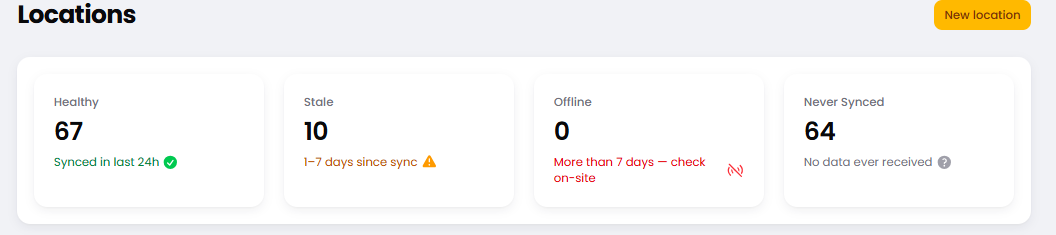
Cards and widgets now sit on a softer page background with subtle elevation, so your alerts, latest readings, and key stats stand out at a glance. Heavy borders and visual noise are gone. The type hierarchy is tighter and the spacing feels right.
Tables that work on a phone
Every list in SmartProbe — probes, deliveries, checklists, incidents — now turns into a stack of clean cards on mobile. One record per card, each field clearly labelled, easy to tap, no horizontal scrolling. Doing a walk-around with the phone in one hand finally works the way you'd expect.
Tactile controls everywhere
Buttons press. Menus ease open. Tabs feel like tabs. Form errors slide in with a clear left-bar callout you can't miss. Small things, but together they make SmartProbe feel less like a website and more like a tool you can use without thinking.
Add to Home Screen, properly
Open SmartProbe in Safari on your phone, tap Share → Add to Home Screen, and it now launches as a proper standalone app — branded icon, tinted status bar, full safe-area handling on newer iPhones, no browser chrome in the way. The closest thing to a native app without an App Store download.
Extra polish
The sidebar opens to your most-used group expanded — fewer clicks to start a shift.
A small Admin or workspace name badge in the top bar so you always know which view you're in.
Pages load noticeably faster — we cut our font payload roughly in half.
The Admin and Workspace panels now have distinct accent colors at a glance, so admins switching contexts can't accidentally act on the wrong scope.
Nothing has moved under the hood — every report, alert, and workflow is exactly where it was, just dressed up. Let us know if anything looks off in your day-to-day, and we'll keep iterating.